Not released yet · in development

Every app. Every tool.

Fourteen apps work today, and six more are being built. Each one opens the others' files.

Workspace

One Files

Manage every file in the workspace: folders, uploads, trash and search.

  • Folders: new, rename, move by drag and drop, duplicate
  • Upload files and whole folders; download a folder as a ZIP
  • Trash with restore, stars, recent files, search, grid and list views
  • Open any file with any app that can read it
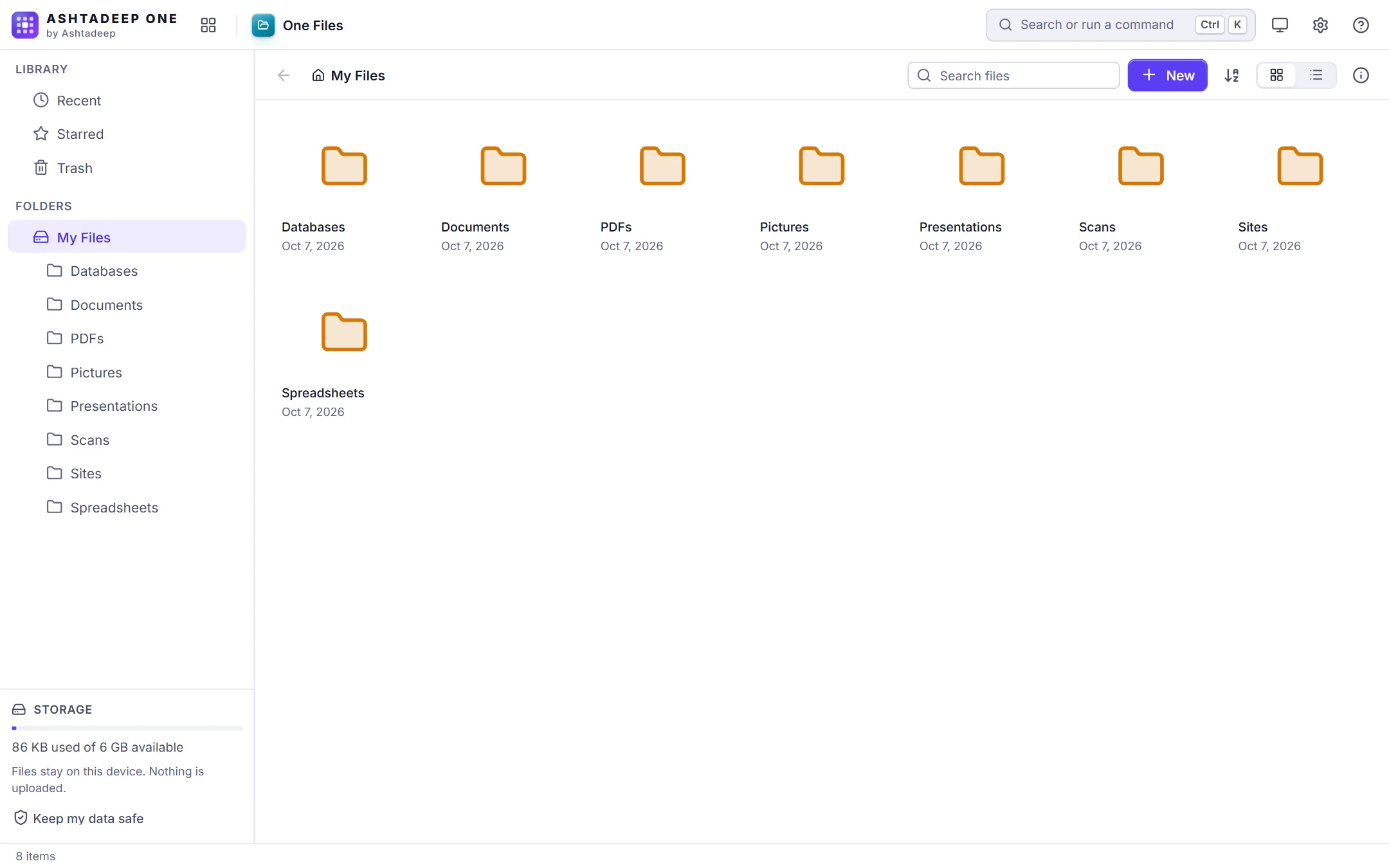
One Files showing folders for databases, documents, PDFs, pictures, presentations, scans, sites and spreadsheets

Documents

One PDF

Read, annotate, sign, fill, organize and edit PDFs.

  • Continuous, single and two-page views, zoom, outline, thumbnails and full-text search
  • Highlight, underline, strike-through, ink, text boxes, notes, shapes and stamps
  • Form filling, and signatures that are drawn, typed or uploaded (a picture of a signature, not a certificate-based digital signature)
  • Add text and pictures, watermarks, page numbers, headers and footers
  • Reorder, rotate, delete, insert, duplicate, extract, split and merge pages
  • Pages to PNG or JPEG; pictures to PDF
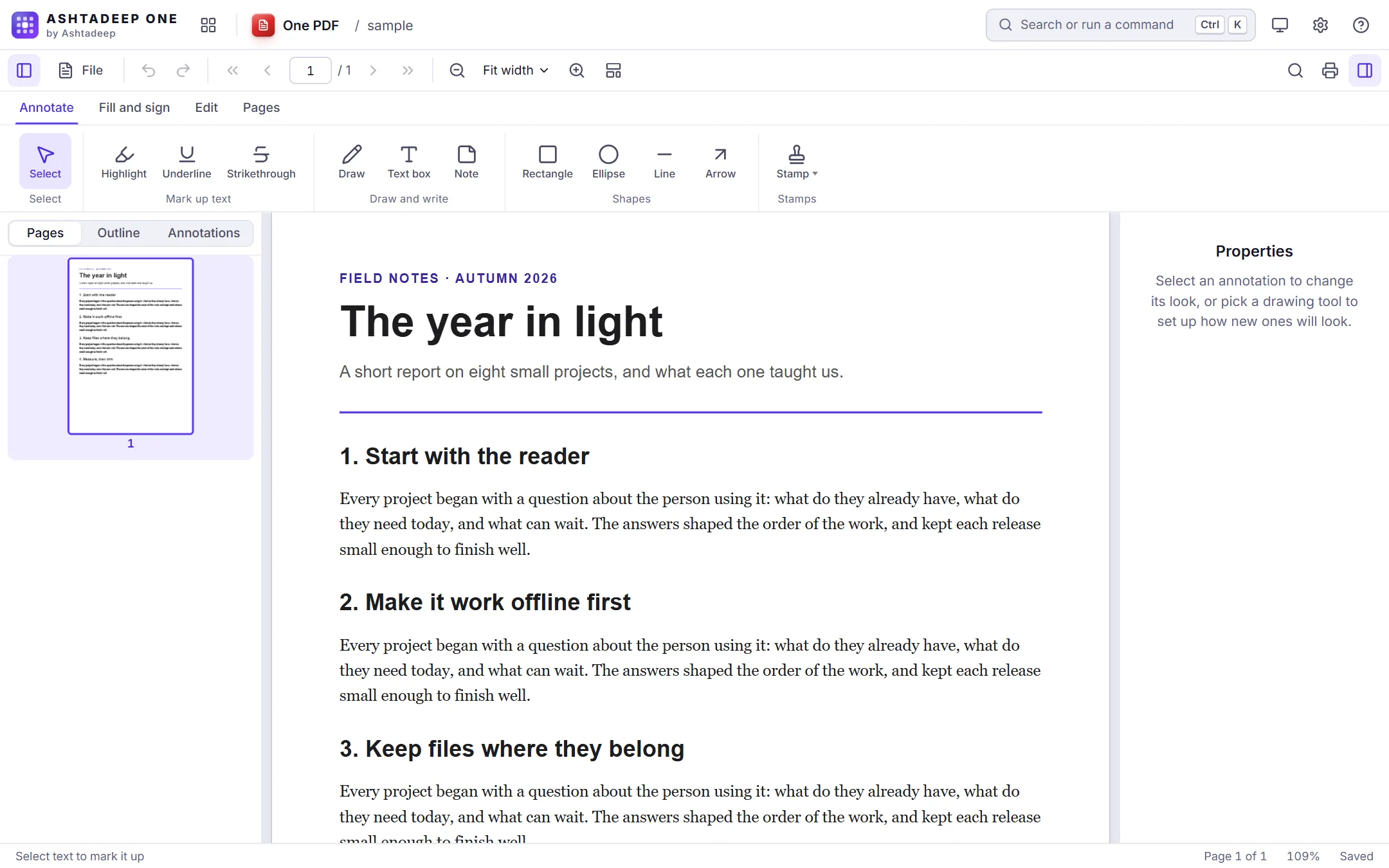
One PDF showing a report with numbered sections, with the annotation tools above it and the page thumbnails beside it

One Write

A full word processor with DOCX in and out.

  • Fonts, sizes, colors, highlight, alignment, spacing, lists and checklists
  • Styles from Title to Heading 6, with a gallery
  • Tables, pictures, links, page breaks, symbols and a table of contents
  • A4, Letter and Legal pages with margins and orientation
  • Opens and saves DOCX, HTML, Markdown, TXT and RTF; PDF through the print dialog
  • Templates: letter, resume, report and memo
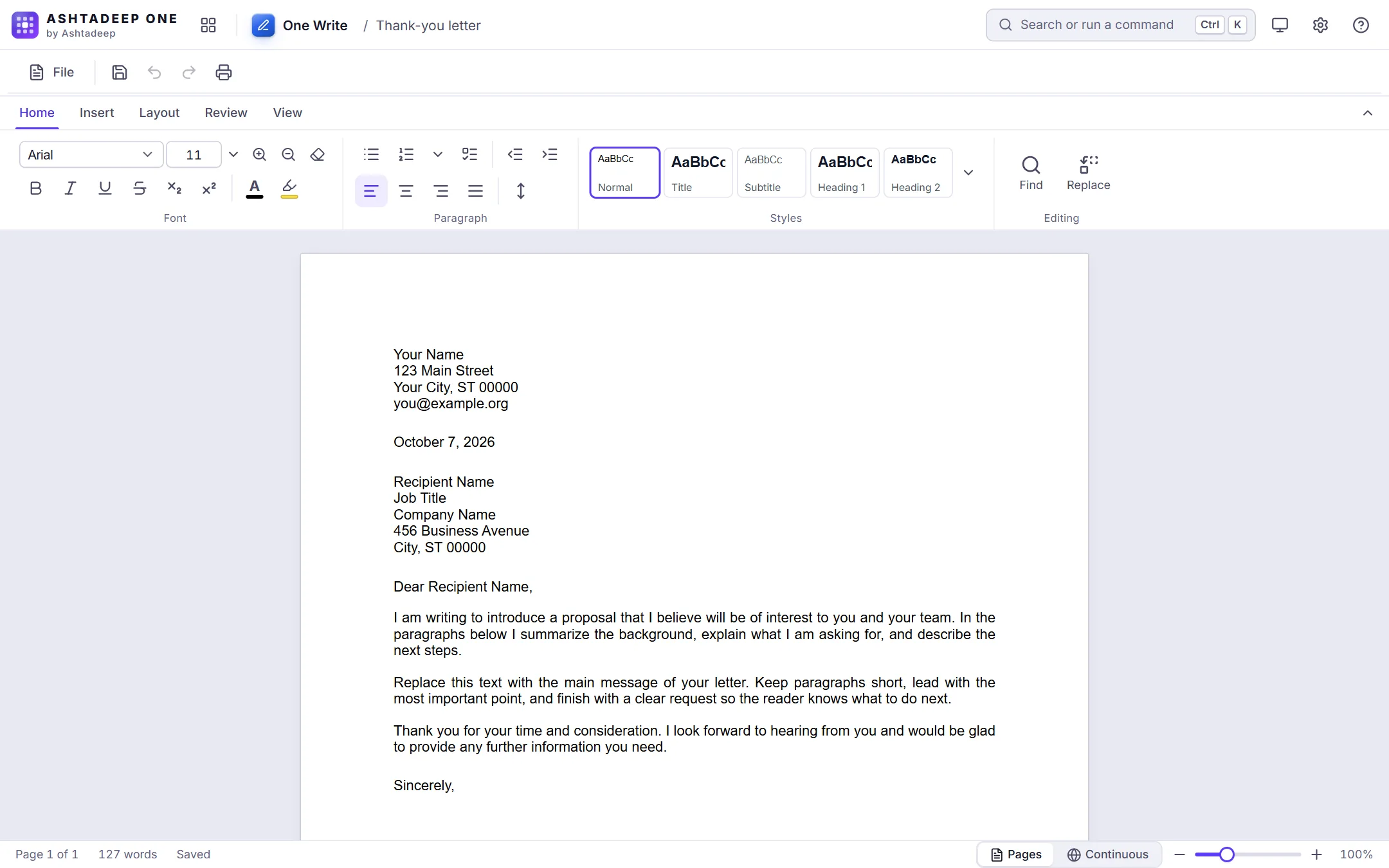
One Write with a letter open on an A4 page, and the Home ribbon with fonts, paragraph settings and styles

One Pad

A fast, simple rich-text editor that starts instantly.

  • Starts instantly, for notes and quick documents
  • Fonts, colors, highlight, bullets, pictures, date and time
  • Opens and saves TXT, RTF, DOCX and HTML
  • Word count in the status bar

One Text

Code and plain-text editor with 80+ languages.

  • Syntax highlighting for 80+ languages, detected from the file name
  • Tabs, folders from this device, find in all open tabs, multi-cursor and bookmarks
  • Compare two files side by side
  • Format JSON and XML, Base64, URL encoding, hashes and a Markdown preview
  • Detects and converts encodings and line endings
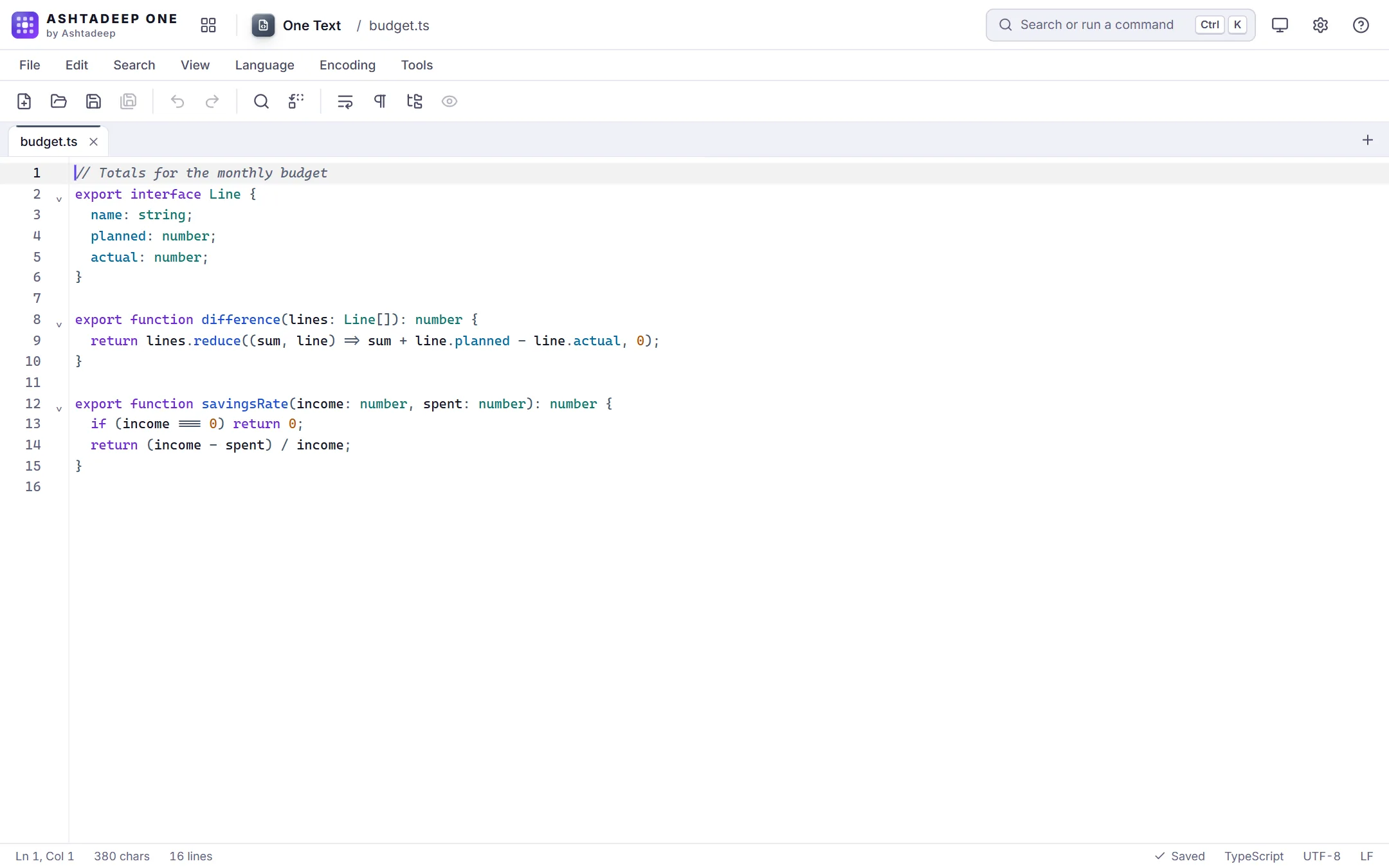
One Text with a TypeScript file open, its syntax highlighted

Data, slides and diagrams

One Sheet

Spreadsheets with formulas, charts and XLSX support.

  • 419 functions, with autocomplete and hints in the formula bar
  • Several sheets, freeze panes, merge, wrap, hide, fill handle
  • Sort, filter, find and replace, remove duplicates
  • Opens and saves XLSX, CSV and TSV; prints with a print area
  • Templates: budget, invoice, tracker, timesheet and loan
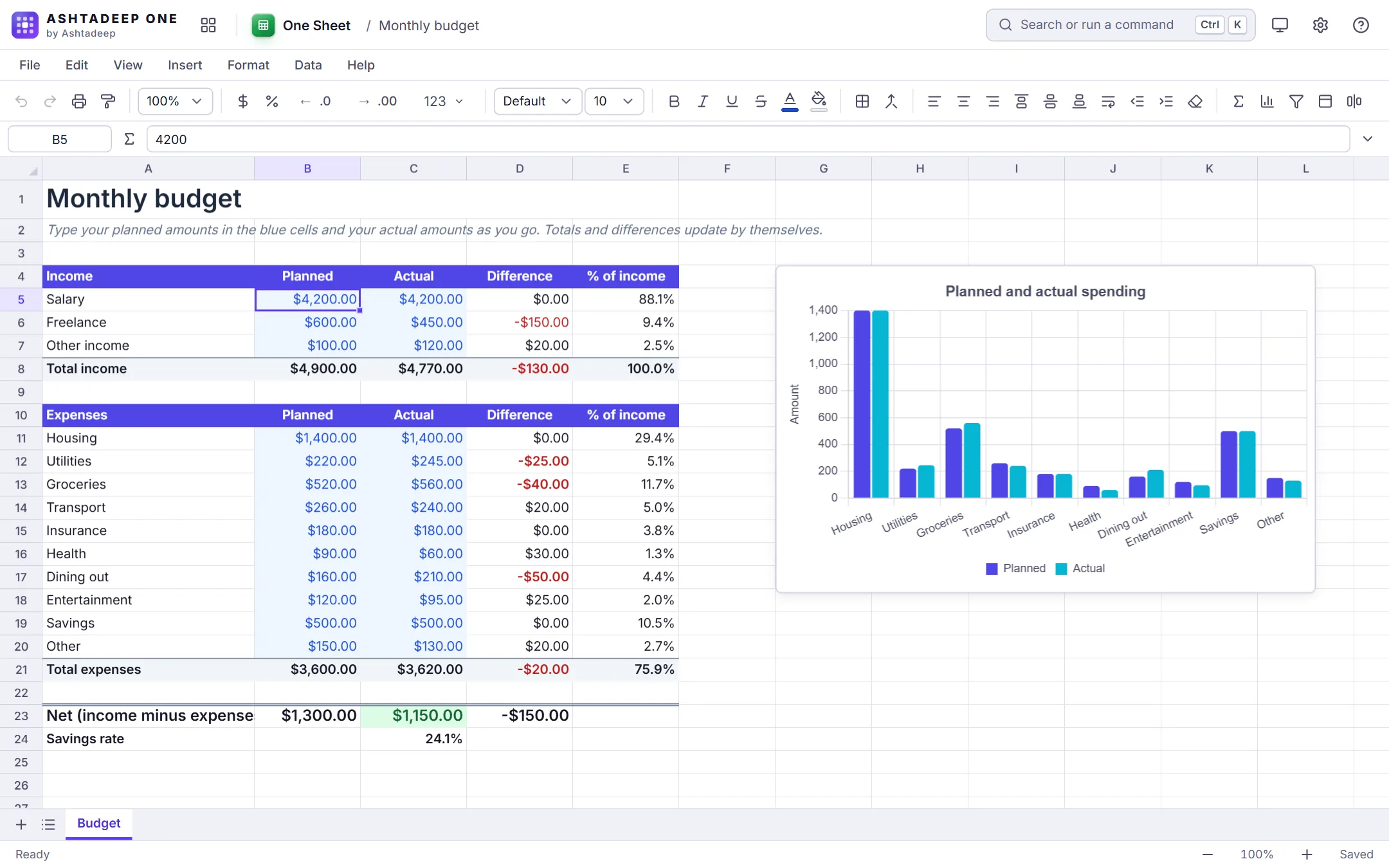
One Sheet with a monthly budget: planned and actual amounts for income and expenses, and a bar chart comparing them

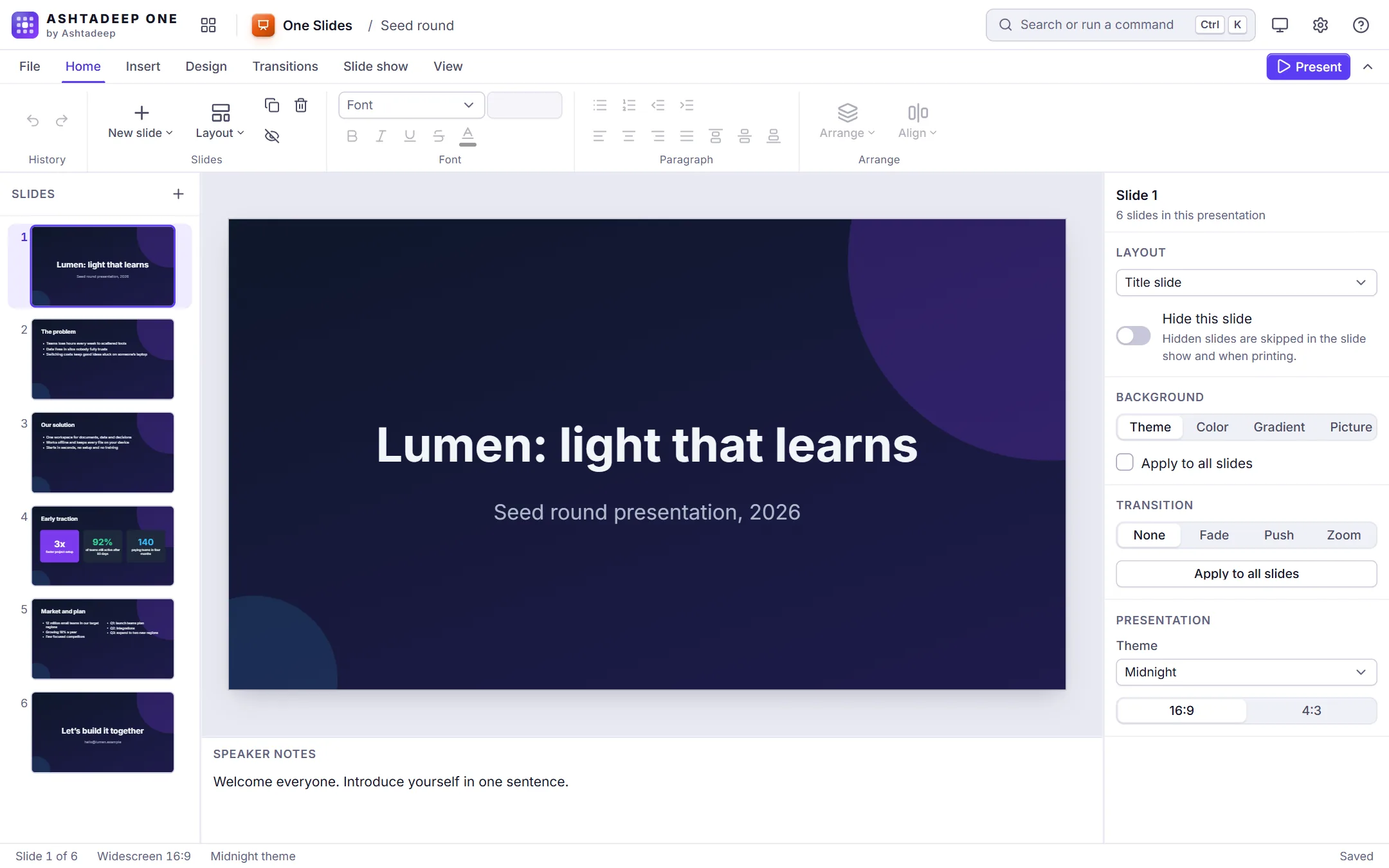
One Slides

Presentations with themes, presenter view and PPTX export.

  • Ten themes, six layouts, backgrounds in color, gradient or picture
  • Text, shapes and pictures: align, distribute, snap and layer order
  • Fade, push and zoom transitions; speaker notes
  • Full-screen show with a laser pointer and a presenter view with a timer
  • Exports PPTX, and PNG for each slide
One Slides with a six-slide pitch deck in a dark theme, the slide list on the left and the layout and theme settings on the right

One DB

A desktop-style relational database built on SQLite.

  • Design tables with types, keys, defaults and lookups
  • Edit records in a datasheet; sort, filter and search
  • Queries built visually or in SQL
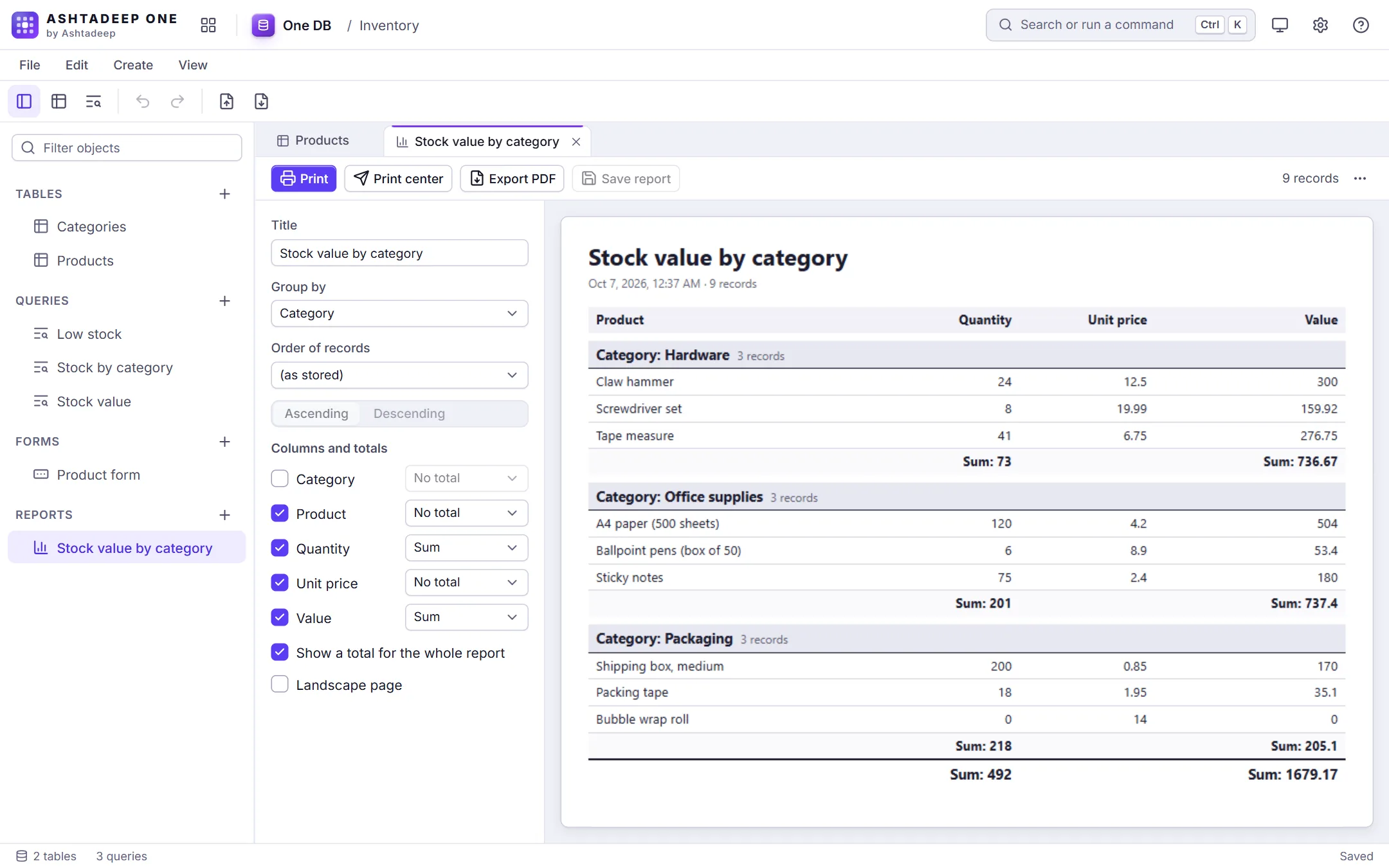
  • Forms and printable reports with grouping and totals
  • Opens and saves SQLite files; imports CSV and XLSX
One DB: a report of stock value by category, grouped with totals, next to its settings

Web

One Web

Build a website or blog and export it as a static site.

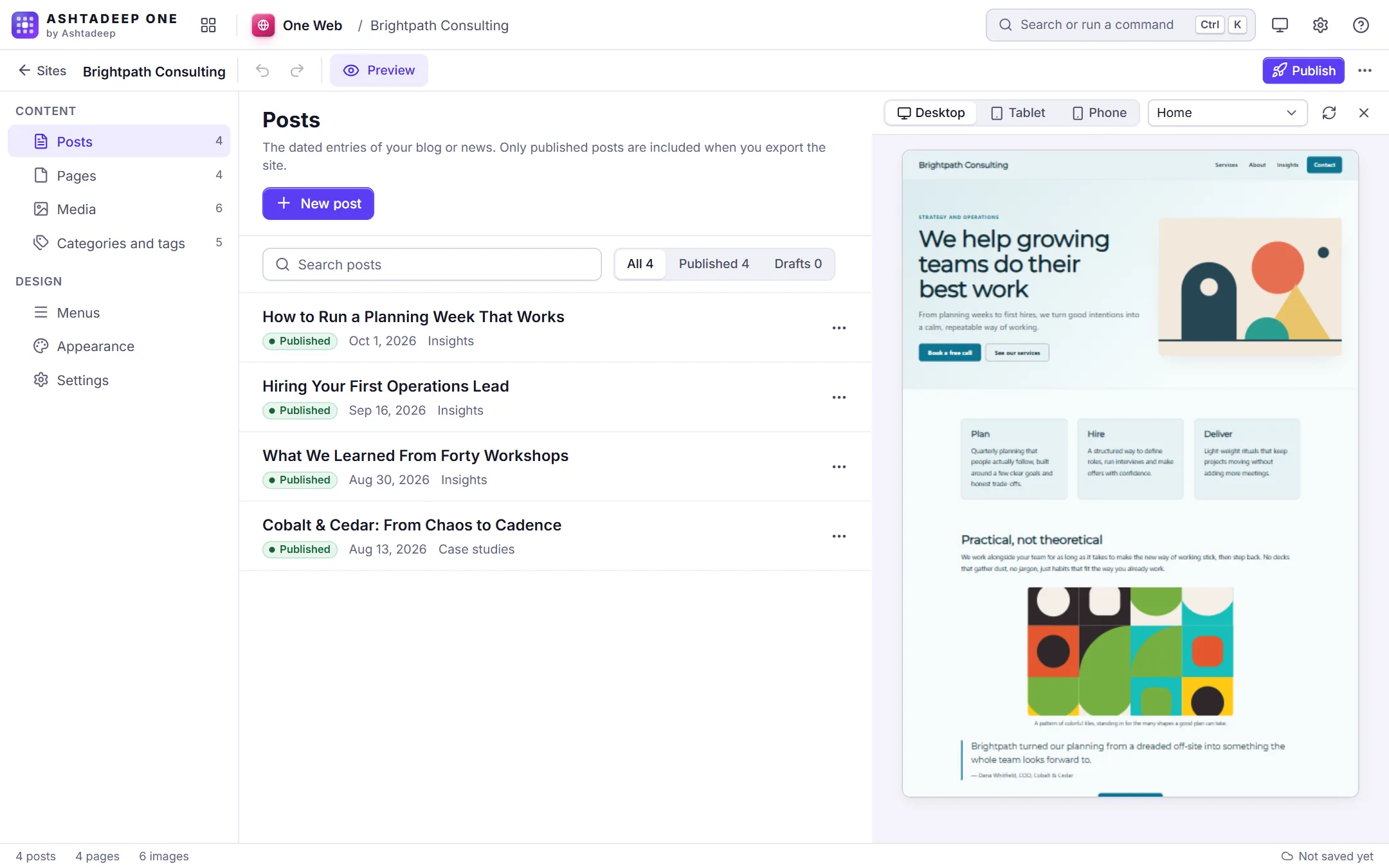
  • Several sites, each with posts, pages and a media library
  • A block editor with 14 block types
  • Three themes with a customizer and a menu builder
  • Preview at desktop, tablet and phone widths
  • Sitemap, RSS and SEO fields; export the site as a ZIP of plain files
One Web previewing a business website next to its list of blog posts

Scan, print and fax

One Scan

Turn camera photos into clean, searchable PDFs.

  • Camera capture, or start from photos you already have
  • Edge detection and perspective correction
  • Filters, brightness, contrast, rotate and crop
  • Several pages per scan; save as PDF, JPEG or PNG
  • Text recognition for Latin-script languages, after you agree to download the language data

One Print

One print center for every file type.

  • One print center for PDFs, pictures, text and documents
  • Paper, margins, scaling, pages per sheet, page ranges, header and footer
  • Grayscale preview and Save as PDF
  • Print history with reprint

One Fax

Compose and track faxes (demo provider until a fax service is connected).

  • Compose with a cover sheet and attachments
  • Fax-quality preview and page count
  • Address book; outbox, sent and failed with a status timeline
  • Runs on a clearly labelled demo service: no fax is really sent yet

Images and recordings

One Paint

A layered raster image editor.

  • Pencil, brush, eraser, shapes, text, fill and eyedropper
  • Layers with opacity, blend modes and merge
  • Resize, rotate, flip, brightness and contrast
  • Saves PNG, JPEG and WebP

One View

Image viewer and organizer.

  • Opens JPEG, PNG, GIF, WebP, AVIF, BMP, SVG and ICO
  • Gallery, viewer, filmstrip and slideshow
  • Camera details, including where a photo was taken
  • Quick edits are saved as a copy; the original is never changed
Being built

Six more, on the way.

What each will do when it is ready. None of these is finished yet.

One Convert

Convert documents, spreadsheets, PDFs and pictures, all on this device.

Planned

  • Convert a batch of files from the workspace or this device, with progress, entirely on the device
  • Documents between DOCX, HTML, Markdown, TXT and RTF, and any of them to PDF
  • Spreadsheets between XLSX, CSV, TSV and JSON
  • PDF pages to PNG or JPEG, pictures to PDF, merge, and split by page ranges
  • Pictures between PNG, JPEG, WebP, BMP and ICO, with resize, compression and location removal
  • Save results to the workspace or the device, one by one or as a ZIP

One Jot

Notebooks with pages, handwriting, checklists and links between notes.

Planned

  • Notebooks, sections and pages in a sidebar tree, with drag and keyboard reordering
  • Rich pages: headings, lists, checklists, tables, code blocks, pictures and attachments
  • Handwriting and drawing with pen pressure, and PDF printouts you can write on
  • Links between pages with backlinks, and tags
  • Quick notes, templates, search, and export as PDF, DOCX, Markdown or HTML

One Diagram

Flowcharts, org charts, mind maps and wireframes.

Planned

  • Infinite canvas with zoom, pan, grid, snapping, a minimap and several pages per file
  • Flowchart and basic shapes, text and pictures, joined by connectors that stay attached
  • Templates: flowchart, org chart, mind map, swimlane process, system diagram and wireframe
  • Auto-layout, styles and themes, align and distribute, group, lock, and undo for every edit
  • Export PNG, SVG and PDF, print, and save in the native format

One Calendar

Day, week and month views with recurring events and reminders.

Planned

  • Day, week, month and agenda views with a mini month and a today button
  • Several calendars; all-day and timed events that you drag to move and resize
  • Recurring events with exceptions, and reminders while the app is open
  • Search, ICS import and export, and printing through the print center
  • Tasks with due dates appear in the calendar

One Tasks

To-do lists and boards with due dates, reminders and steps.

Planned

  • Lists and groups; tasks with due dates, reminders, priority, tags, steps and attachments
  • My Day, Planned, Important, All and Completed views, plus a board for each list
  • Recurring tasks, and quick add that understands dates such as tomorrow 5pm or every Monday
  • Search, sort and filter, undo, keyboard shortcuts, and CSV or JSON import and export

One Capture

Screenshots, screen recordings, webcam clips and voice memos.

Planned

  • Screenshot of a screen, window or tab, with crop and annotation
  • Screen recording with microphone, a webcam bubble, countdown, pause and resume
  • Webcam photos and videos, and voice memos with a waveform
  • A library of captures saved in the workspace